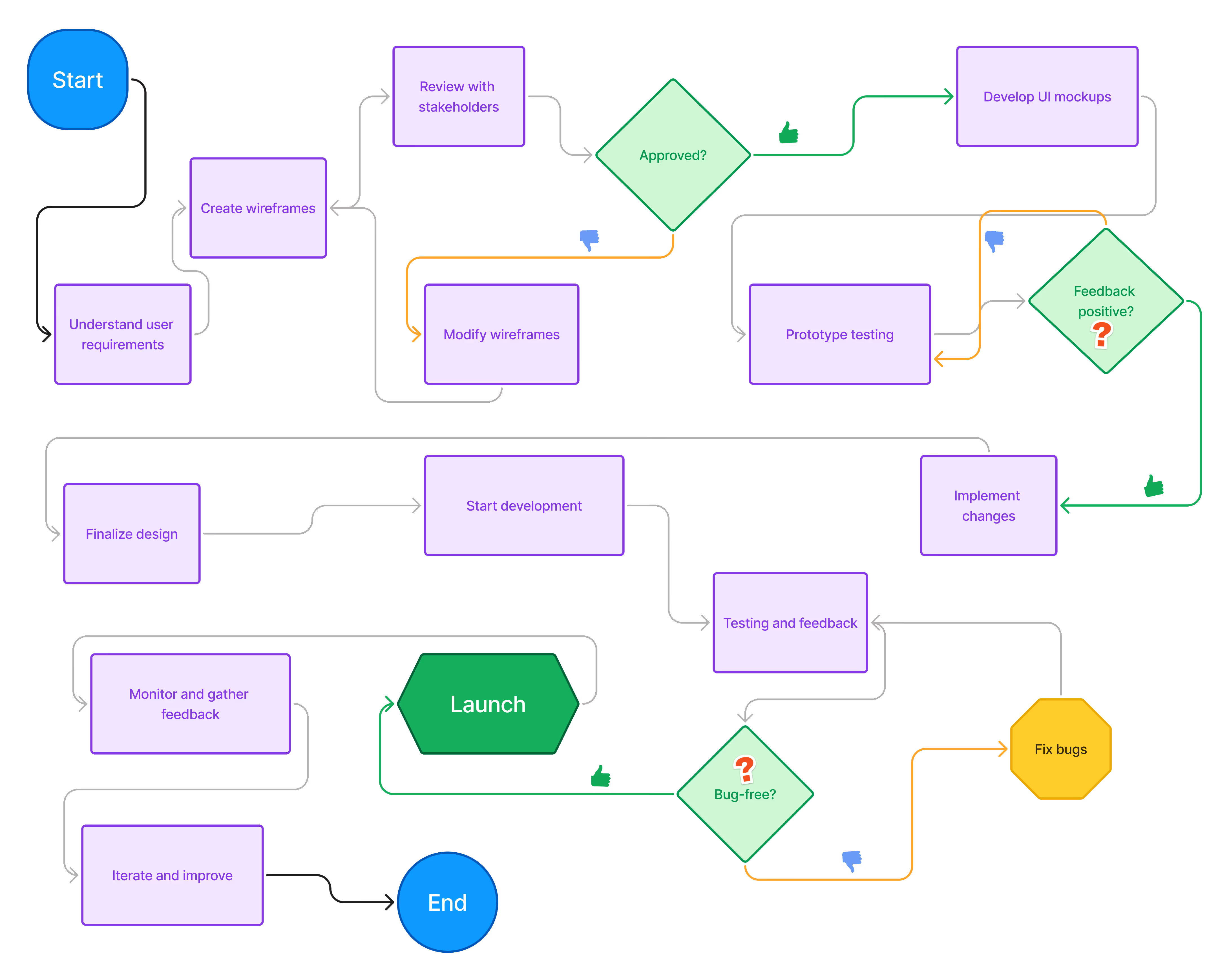
Workflow
1. Research and Understanding the Problem
Objective: Clearly define the problem you're solving. This stage involves understanding user needs, business goals, and project requirements.
Task:
- Stakeholder interviews
- Market analysis
- User research (surveys, personas, journey mapping)
- Competitor analysis*
2. Ideation and Conceptualization
Objective: Brainstorm solutions and concepts that address the identified problems. Focus on both user and business goals.
Task:
- Sketch wireframes
- Create user flows
- Develop low-fidelity prototypes
- Gather feedback from stakeholders and users
3. Wireframing and Prototyping
Objective: Visualize the structure and interactions of the design in a basic, low-fidelity format.
Task:
- Build wireframes (low-fidelity sketches)
- Create interactive prototypes
- Ensure key screens and flows are mapped out
- Perform usability testing (optional for prototypes)
4. Visual Design
Objective: Bring the wireframes to life with high-fidelity design elements that align with branding and UI patterns.
Task:
- Design high-fidelity mockups
- Implement brand guidelines (colors, typography, imagery)
- Design for responsiveness across different screen sizes
- Ensure consistency in UI components (buttons, icons, etc.)
5. Interaction Design and Animation
Objective: Define how users interact with the interface and bring animations or transitions into the design.
Task:
- Prototype UI interactions (hover states, click events)
- Design micro-interactions for feedback
- Add animations/transitions to enhance the user experience (e.g., loading animations, modal transitions)
6. Developer Handoff and Documentation
Objective: Prepare the final design assets and specifications for the development team.
Task:
- Export design assets (icons, images, fonts)
- Document interaction behaviors (hover states, click animations)
- Provide a style guide (if needed)
- Ensure proper communication with developers (use of collaboration tools like Zeplin or Figma Inspect)
7. Development and Implementation
Objective: Ensure smooth integration of UI designs into the final product.
Task:
- Collaborate with developers to clarify design details
- Conduct design QA to check for visual consistency
- Adjust and refine the design based on development feedback
8. User Testing and Feedback
Objective: Validate the design with real users to identify usability issues or improvement areas.
Task:
- Conduct usability tests (A/B testing, feedback surveys)
- Gather user feedback on navigation, layout, and overall experience
- Iterate and improve the design based on test results
9. Iteration and Refinement
Objective: Use feedback from testing to enhance the design for a better user experience.
Task:
- Refine UI components based on feedback
- Update designs for scalability (if needed)
- Optimize the UI for better performance and accessibility
10. Launch and Post-Launch
Objective: Launch the product and continuously improve based on real-world use.
Task:
- Monitor product performance and user interaction data
- Address post-launch bugs or design inconsistencies
- Plan for future updates and iterations